Your API client, with receipts.

See where every millisecond of a request went. Free, local and no account needed.

Download

Version 1.0.2. Desktop app for

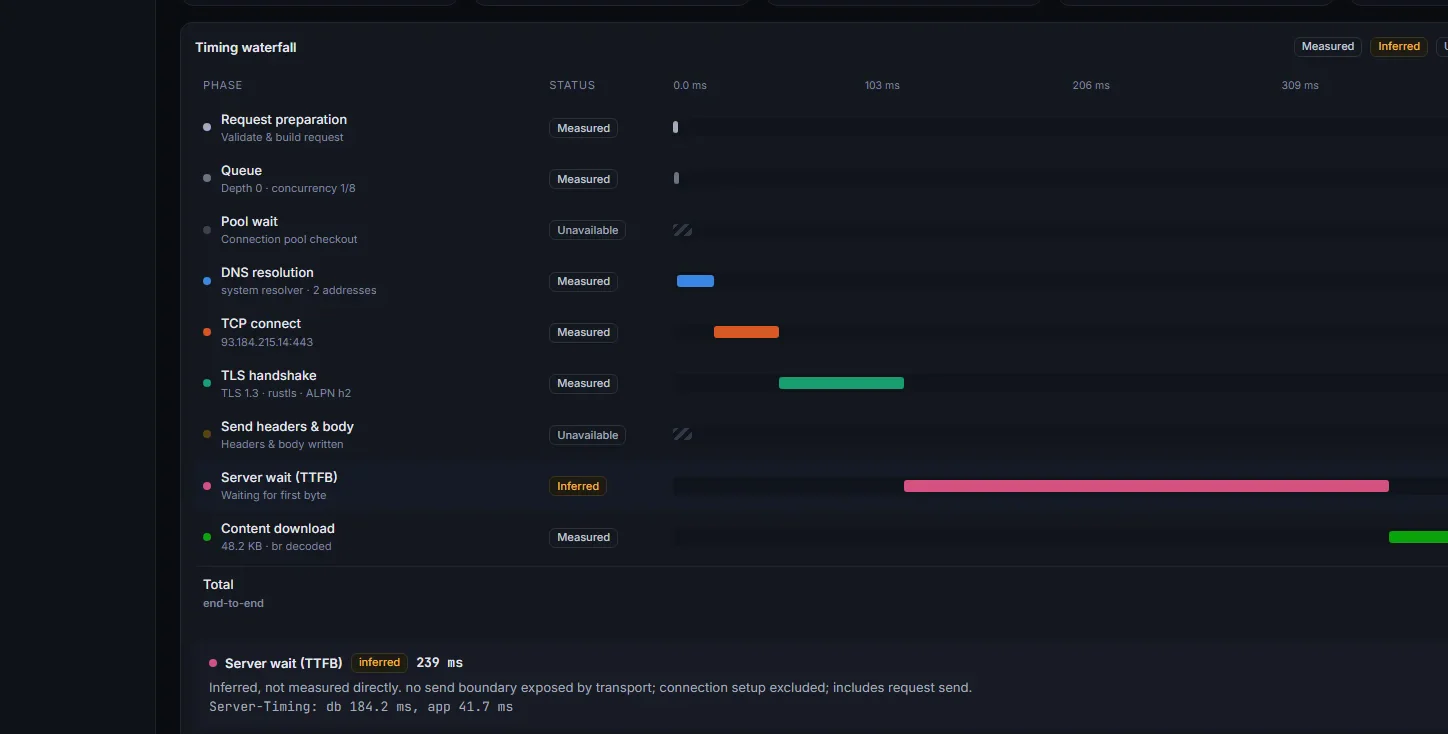
The Paapi network trace for one request: a timing waterfall of DNS, TCP, TLS, server wait and download, each phase marked measured, inferred or unavailable.

Send it. Then see what happened.

The timing waterfall, with each phase of a request drawn to scale.

A trace for every request

DNS, connect, TLS, wait and download, drawn to scale. Anything the app can’t see says so instead of showing zero.

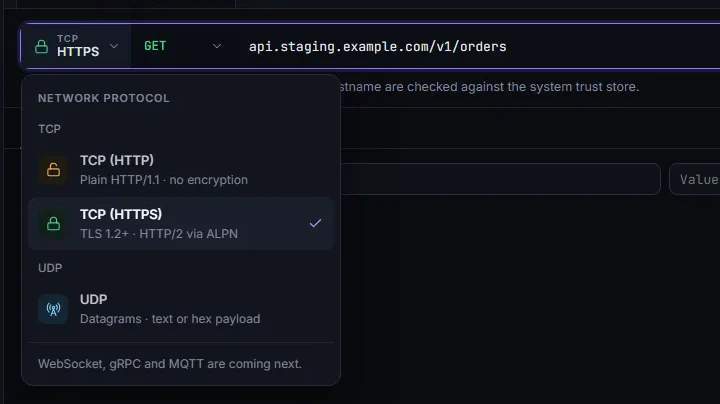
The protocol menu open, listing HTTP, HTTPS and UDP.

HTTP, HTTPS or UDP

Pick the transport from one menu. Verify TLS per request, or send a raw datagram.
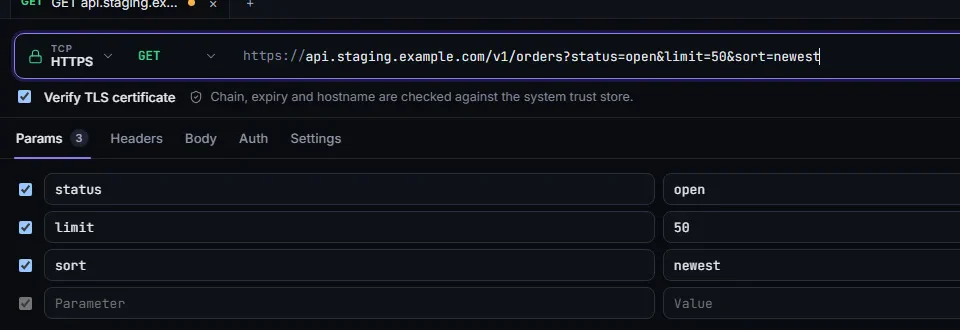
A request URL with its query parameters in an editable table below.

One URL, two views

Edit the query in the URL or in the table. The other follows.
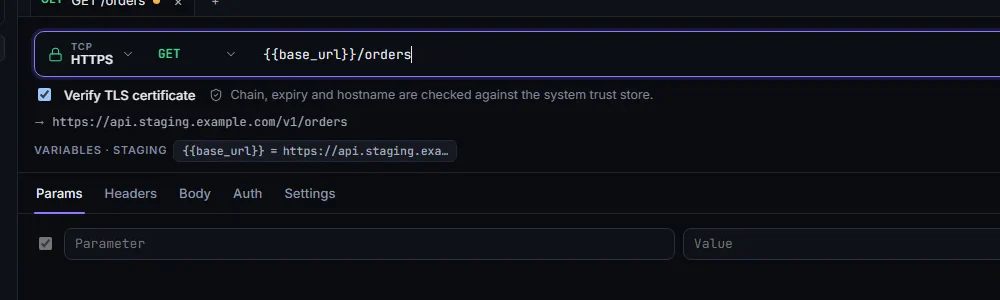
A request using a base_url variable, with the resolved Staging URL shown beneath the URL bar.

One request, every environment

Variables resolve live and the exact URL is previewed before you send. Secrets stay in your OS keychain.
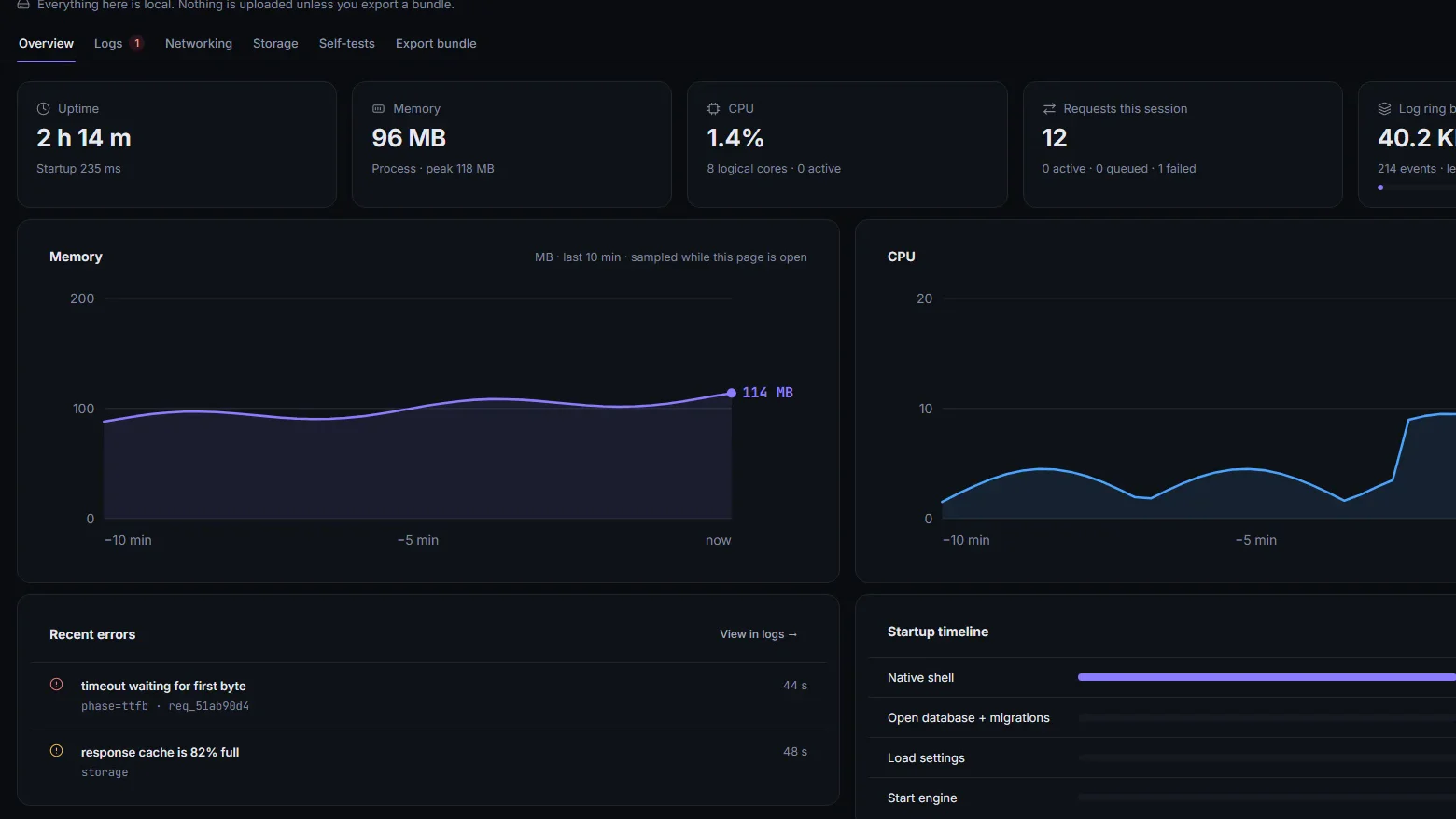
The Diagnostics overview with memory, CPU, requests and a startup timeline.

The app shows its work

Live memory, CPU, logs and self-tests, all local. Nothing is uploaded unless you export a bundle.
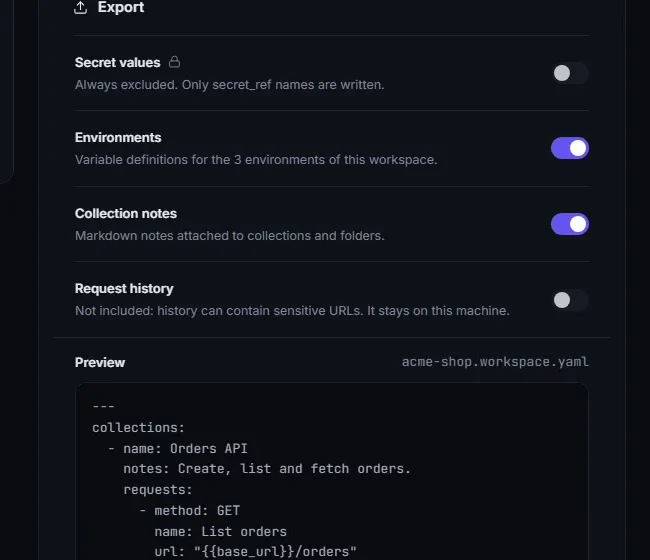
The export panel with a live YAML preview where secrets appear only as named references.

Share a workspace, not a secret

Export collections and environments as one readable YAML file. Secrets travel as references only.

No login. No account. No cloud.

Requests, history and collections stay on your machine. Secret values live in your OS keychain, never in the database or an exported file.

Free forever.

  • Every feature, on every platform
  • No trial, no card, no account
  • Nothing uploaded from the app
Get Paapi

Download Paapi

Version 1.0.2

Unsigned, but easy to verify.

Windows and macOS will warn you the first time you open Paapi. Here is why, and how to check the file yourself before you run it.

Why there is a warning
Code-signing certificates are a paid yearly service, and Paapi doesn’t have one yet. The warning means the publisher is unknown to your system. It doesn’t mean the file was found to be harmful.
Your requests stay on your machine
Paapi is local-first. The app itself sends your requests from your computer, with no Paapi server in between, and secret values stay in your OS keychain.
Check the download

Compare your file’s SHA-256 hash with the matching line in the published checksums.

Windows   Get-FileHash .\Paapi-setup.exe -Algorithm SHA256
macOS     shasum -a 256 Paapi.dmg
Linux     sha256sum Paapi.deb
Opening it the first time
  • Windows: in the SmartScreen dialog choose “More info”, then “Run anyway”.
  • macOS: right-click the app, choose “Open”, then confirm.
  • Linux: run sudo apt install ./Paapi.deb.